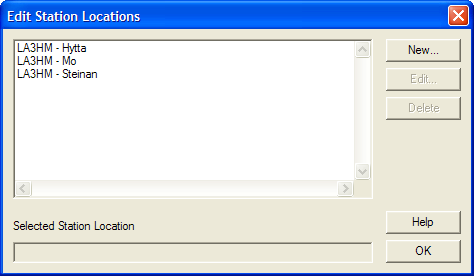
You must install and setup ARRL's TQSL command before you caqn use LoTW submission from jLog. Start TQSL and add one or more "Station Locations" usin the 'Station->Add location' command.
After having filled in one or more locations, 'Station->Edit locations' will present a list like this:
The location values must be entered into the jLog Profile's 'LoTW' Tab in the 'TQSL Locations' field, i.e.

These values will appear as a 'TQSL Location' pop-up list under the Profile's 'Config' Tab.
I have defined 3 main configurations in the Profile corresponding to these as shown below:
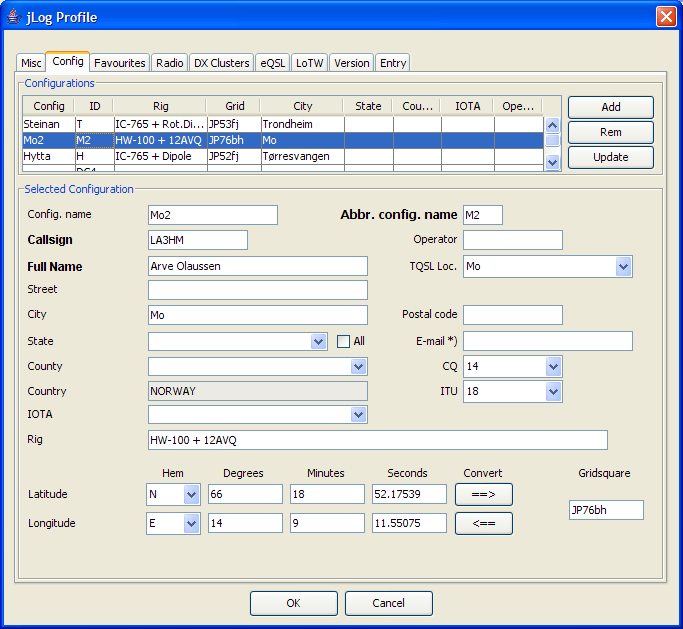
Each of the Configurations could be split to cover e.g. different Rigs used at the same Location.
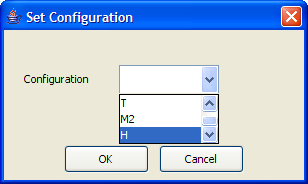
IMPORTANT: All entries in the log must be assigned to one of the configurations. Select a range of QSOs in the Main window, right-click and select 'Set location'. Select the corresponding 'Config':
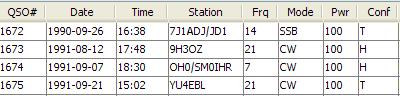
The different configurations are displayed in the 'Conf' column in the Main window:
jLog will automatically fetch the corresponding TQSL Location for the entry when submitting to LoTW automatically. Please make sure to submit entries of the same location when manually submitting multiple entries.